DeTime
DeTime is a time-series decomposition Python package and CLI software contract for trend, oscillation, residual, method-specific components, and metadata across univariate and aligned multichannel decomposition workflows.

Scientific toolkit / software contract
Decompose time series with reusable outputs.
One interface for trend, oscillation, residual, and metadata.
Give DeTime one series or aligned multichannel data. It returns trend, seasonal or oscillatory structure, residuals, method-specific components, and metadata through the same Python and CLI interface.

 DeTime
Overview
Decompose
Components
Diagnose
Export
DeTime
Overview
Decompose
Components
Diagnose
Export
- Python and CLI entrypointsStable commands for decomposition runs.
- Core method supportSSASTDSTDRMSSA
- Published examplesReal stdout, plots, and saved artifacts.
- Schemas and metadataJSON schemas and method shortlists for automation.
detime
Distribution: detime-toolkit
Core methods: SSA / STD / STDR / MSSA
Schemas, metadata, and exportable artifacts
Why DeTime exists
A stable software contract for time-series decomposition.
DeTime exists because decomposition work often moves between notebooks, method-specific wrappers, CLI scripts, and machine-facing automation. The package keeps the method choice flexible while preserving one Python/CLI surface and one result contract.
decompose() entrypoint
DecompResult for trend, season, residual, components, and meta
DecompositionConfig model across Python and CLI usage
Data in, components out
Data in, components out
DeTime keeps the user-facing contract stable while the method underneath can change. The same shape of result comes back whether you start with a single series or an aligned multichannel panel.
DecompositionConfig(method, params)
decompose(...) or detime run
trend, season, residual, components, metadata
DecompositionConfig(method, params)
decompose(...) or detime run
Getting Started
Install
Current GitHub install path, extras, native build prerequisites, and FAQ.
Quickstart
First successful Python and CLI runs with the retained DeTime surface.
Choose a Method
Pick a core path quickly before dropping into wrappers or optional backends.
Notebook Gallery
GitHub-visible plots and summaries for the retained decomposition methods.
Applications
These examples show how the same decomposition interface can be used in larger workflows. They are application documentation, not the core maintained package claim.
Quant Trading Column
11 applied notebooks plus a roadmap for data loading, timing, pairs, factor selection, rotation, adapters, and audit.
Hot Trend Lab
7 case notebooks plus an overview for public-data trend and cycle examples.
Core Reference
Methods Overview
Method families, maturity levels, and where to start on the retained surface.
Method Matrix
Inputs, maturity, parameters, dependencies, outputs, and recommended use in one table.
Config Reference
Top-level DecompositionConfig fields plus per-method parameter semantics.
API Overview
Canonical Python surface, config and result contracts, and CLI summary.
Workflow Examples
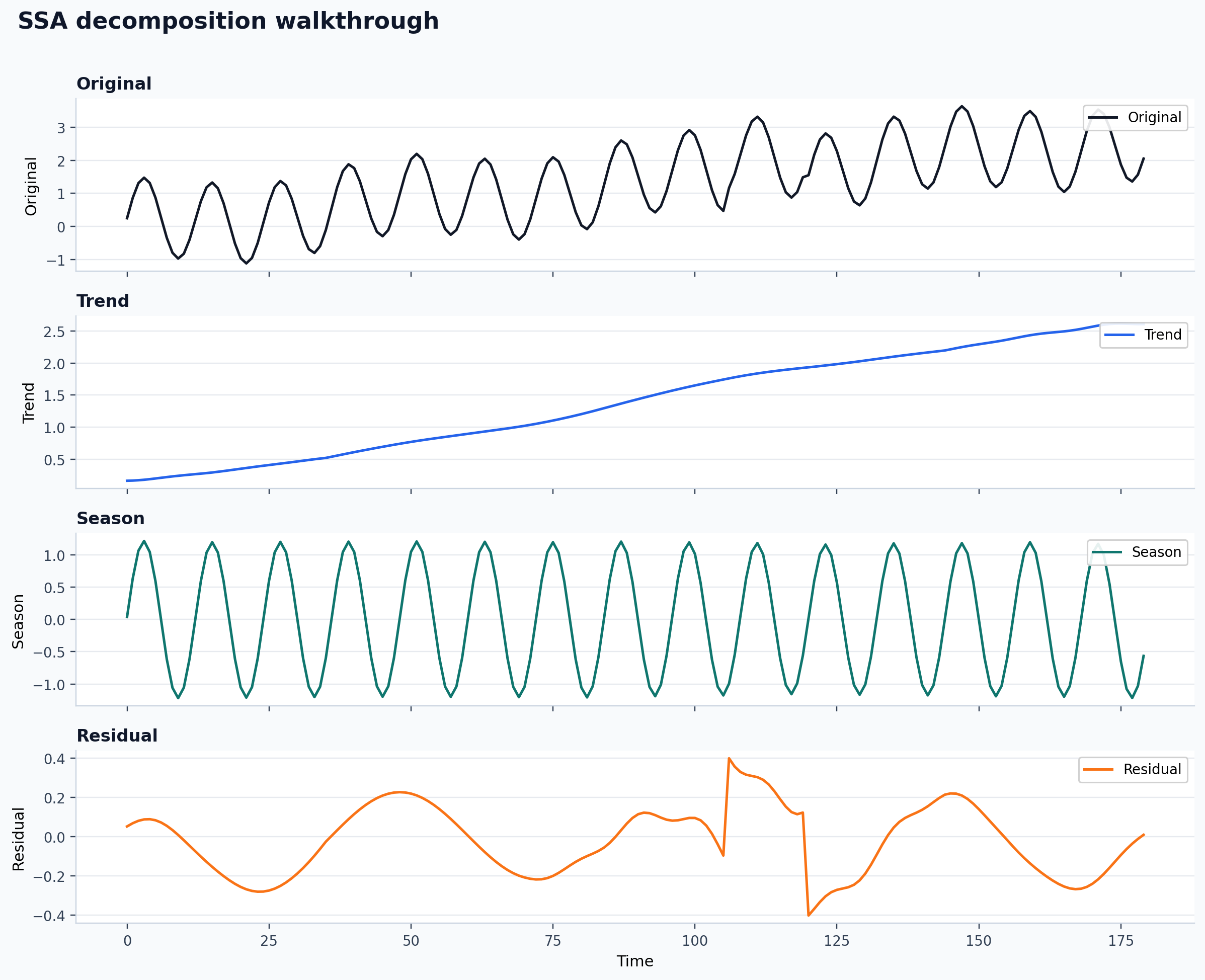
Univariate Workflows
Follow the retained single-series path from example data to plotted components and saved outputs.
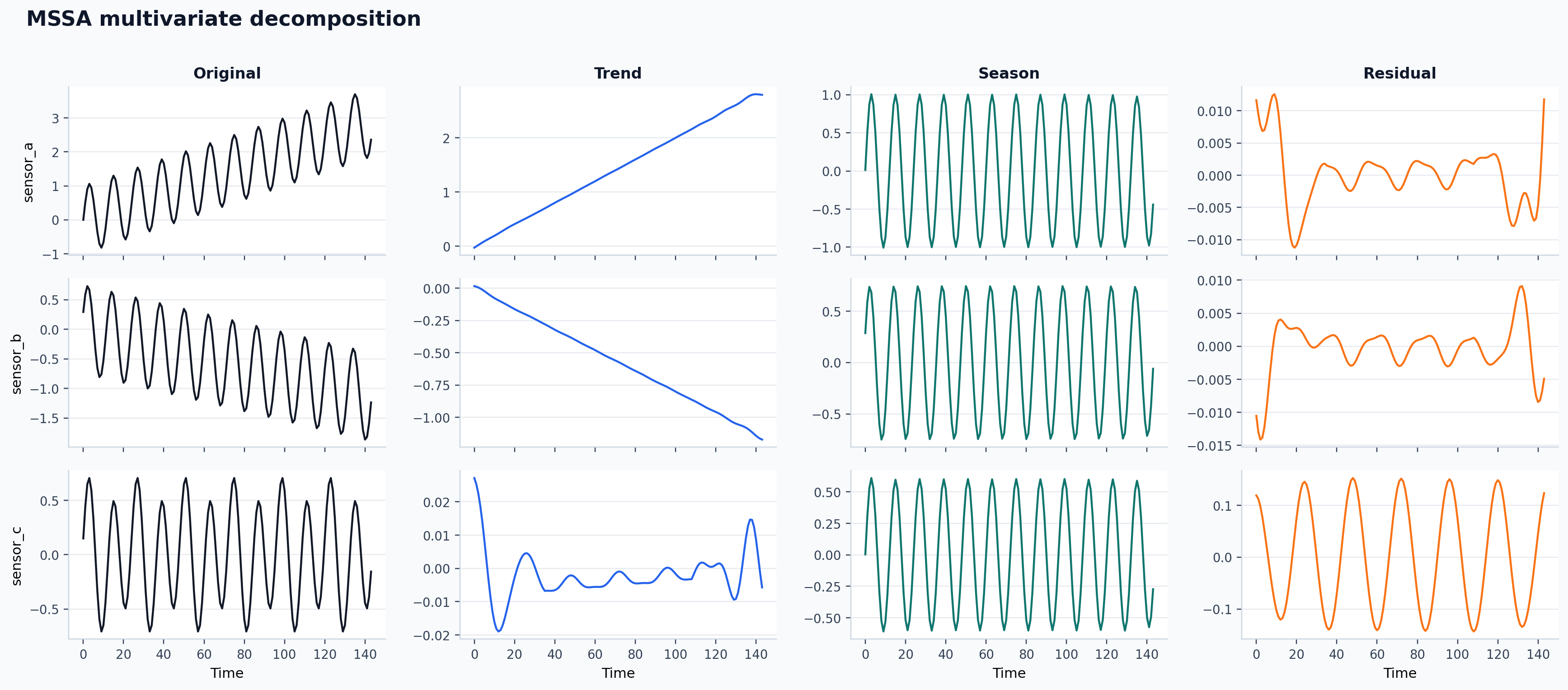
Multivariate Workflows
Move from aligned channels to shared-structure decomposition and machine-readable result artifacts.
Advanced / Review
Compare Alternatives
When to use DeTime and when to use specialist packages directly.
Reproducibility
Coverage boundaries, release checks, curated evidence, and validation commands.
Method References
Primary literature and official upstream package links for retained methods.
Citation / Release Notes
Package citation metadata, release notes, and links needed for software review.